

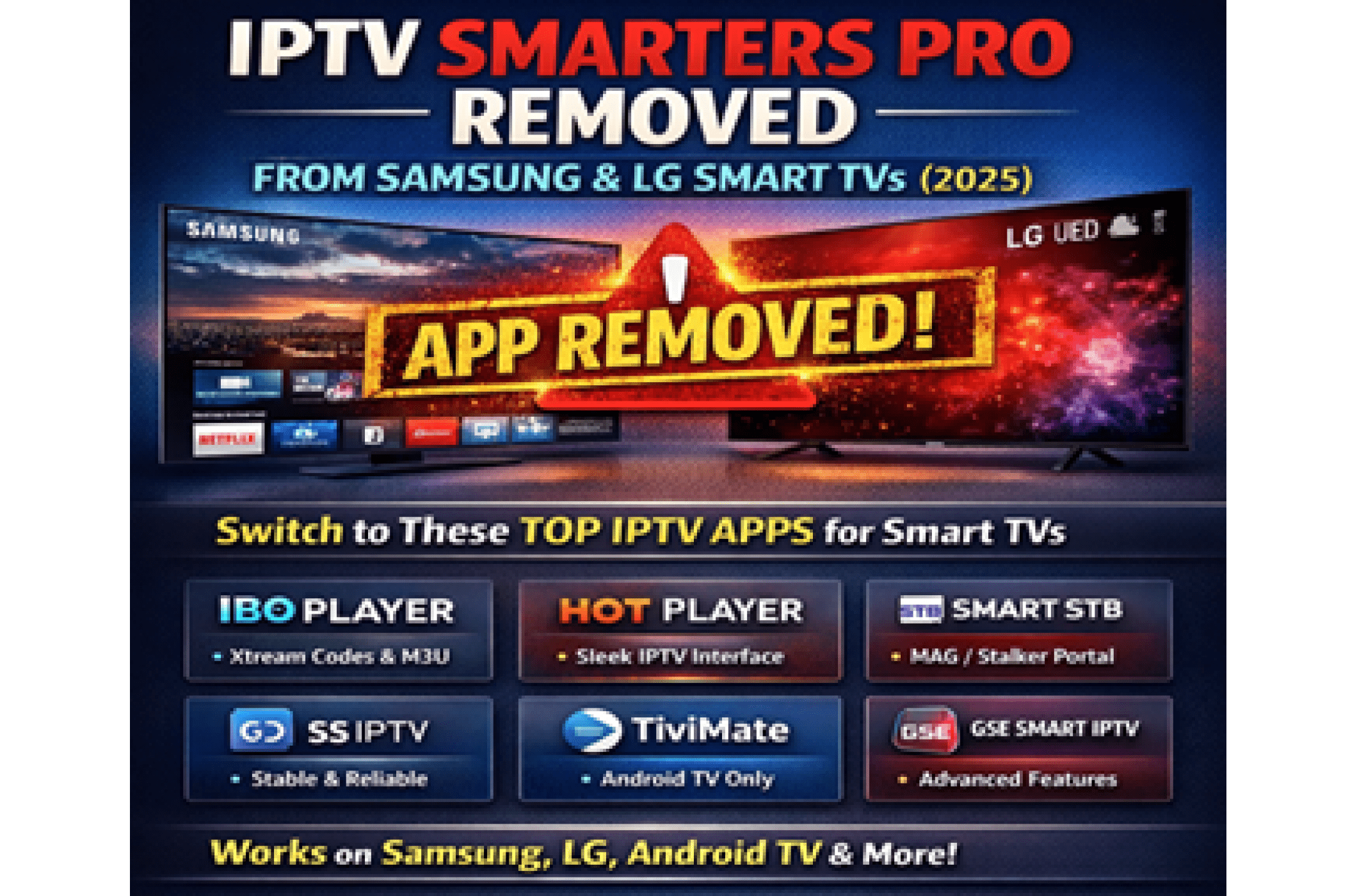

IPTV Smarters Pro Not Working on Samsung & LG Smart TVs (2026 Guide)
Smarters Pro app, also known as Smarters IPTV player, is not working on smart TVs. If you recently opened your Samsung or LG Smart TV app store searching for IPTV Smarters Pro or IPTV Smarters Player, you may have noticed something unusual. On some Samsung Smart TVs, the app may still appear in the store — however it does not work. Samsung has blocked the app from connecting to the IPTV Smarters servers, which means it cannot load any playlists or IPTV streams.
On LG Smart TVs, the app has been fully removed. And on Samsung, even if the app shows up, it cannot function properly. As of early 2026, IPTV Smarters Pro is either removed or completely blocked from the official Samsung (Tizen) and LG (webOS) platforms.
If you currently have the app installed, it may not work anymore due to server blocking — and you cannot reinstall it if you:
• Factory reset your TV
• Buy a new TV
• Accidentally delete the app
Because of this, it’s strongly recommended to switch to one of the reliable replacement apps below.
Best IPTV Apps for Smart TVs (2026)
The good news is there are excellent alternatives available directly in the Samsung and LG TV stores. All the apps below support M3U playlists and Xtream Codes login, so your existing IPTV credentials will work instantly.
IBO Player
One of the most popular and stable replacements for IPTV Smarters Pro. IBO Player is available on both Samsung and LG Smart TVs.
Features:
Clean, remote-friendly interface
Full Xtream Codes & M3U support
Built-in EPG program guide
Supports VOD & multi-profiles
Fast, stable, and highly recommended
HOT Player
A modern IPTV player designed specifically for Smart TV navigation.
Features:
Available on Samsung & LG stores
Xtream Codes + M3U login support
Smooth performance with large channel lists
Built-in EPG and VOD support
Beautiful, simple interface
Smart STB
Perfect if your provider uses MAG / Stalker Portal.
Features:
MAG-style interface on your Smart TV
Supports portals & Stalker URLs
Ideal for users familiar with MAG boxes
SS IPTV
A long-time stable IPTV player available on Samsung & LG for years.
Features:
Supports remote & local M3U playlists
External EPG sources
Simple and reliable
Lightweight and easy to use
TiviMate (Android TV Only)
If you have a Sony, Philips, Hisense, or TCL Android TV, this is the top option.
Features:
Premium interface
Catch-up TV & PIP
Highly customizable
The most advanced IPTV app available
GSE Smart IPTV (Android TV)
A powerful backup option for Android TV devices.
Features:
Xtream Codes & M3U support
External EPG
Easy to set up and navigate
Which IPTV Apps Work on My TV?
| TV Brand / System | Supported IPTV Apps |
|---|---|
| Samsung Smart TV (Tizen) | IBO Player, HOT Player, Smart STB, SS IPTV |
| LG Smart TV (webOS) | IBO Player, HOT Player, Smart STB, SS IPTV |
| Sony / Philips / TCL (Android TV) | TiviMate, GSE Smart IPTV, IBO Player |
| Any TV (via HDMI stick) | Firestick or Android TV box (all IPTV apps available) |
If your TV does not support any of these apps, simply add an Amazon Firestick or Android TV box to unlock every IPTV player.
How to Set Up IPTV on Your Smart TV
Purchase your IPTV subscription and receive your M3U URL or Xtream Codes (server URL, username, password).
Open your Samsung or LG app store and install IBO Player, HOT Player, or any compatible app.
Launch the app and choose Add Playlist or Xtream Codes Login.
Enter your IPTV credentials.
Your channels, VOD, and EPG will load automatically — start watching.
Frequently Asked Questions
Why doesn’t IPTV Smarters Pro work on Samsung Smart TV?
Because Samsung blocks the app from connecting to the IPTV Smarters servers. Even if the app appears in the Samsung store, it cannot load IPTV playlists or channels.
Why was IPTV Smarters Pro removed from LG Smart TVs?
The app was removed from the LG (webOS) store in 2025 and no longer works.